启动
nohup ./bin/logstash -f ./pipelines/log_collect.conf 1>nohup.loog 2>nohup.log &3.3、部署客户端filebeat日志格式如下
gtms-switch-center 2022-04-19 17:28:14.616 [http-nio-8080-exec-989] INFO c.p.switchcenter.web.controller.SwitchController1、linux系统
tar -xvf filebeat.tar.gzcd filebeat/
vi filebeat.ymlfilebeat.prospectors: - input_type: log paths: - /bankapp/switch/gtms-switch-center/com.pactera.jep.log.biz*.log multiline: pattern: '^gtms-switch-center' negate: true match: after max_lines: 200 timeout: 20s fields: env: "prd001" appid: "switch" appname: "switch" hostip: "192.168.10.15" reload.enabled: true reload.period: 2Sfields_under_root: trueoutput.logstash: hosts: ["192.168.10.11:10515" ] enabled: true
nohup ./filebeat -e -c filebeat.yml -d "publish" 1>/dev/null 2>&1 &2、windows系统
- windows安装直接解压即可,解压如下
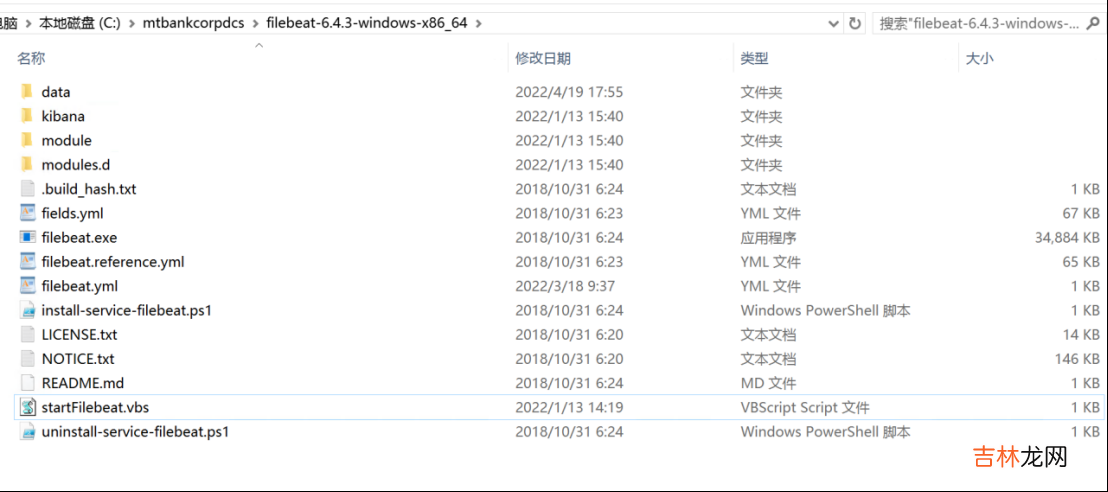
文章插图
- 编写配置文件filebeat.yml
filebeat.prospectors: - input_type: log encoding: gbk paths: - C:/bankapp/switch/gtms-switch-center/com.pactera.jep.log.biz*.log multiline: pattern: '^gtms-switch-center' negate: true match: after max_lines: 200 timeout: 20s fields: env: "prd001" appid: "switch" appname: "switch" hostip: "192.168.10.16" reload.enabled: true reload.period: 2S fields_under_root: trueoutput.logstash: hosts: ["192.168.10.11:10515" ] enabled: true
- 编写后台启动脚本startFilebeat.vbs
set ws=WScript.CreateObject("WScript.Shell")ws.Run "filebeat.exe -e -c filebeat.yml",0
- 启动,双击脚本startFilebeat.vbs

文章插图
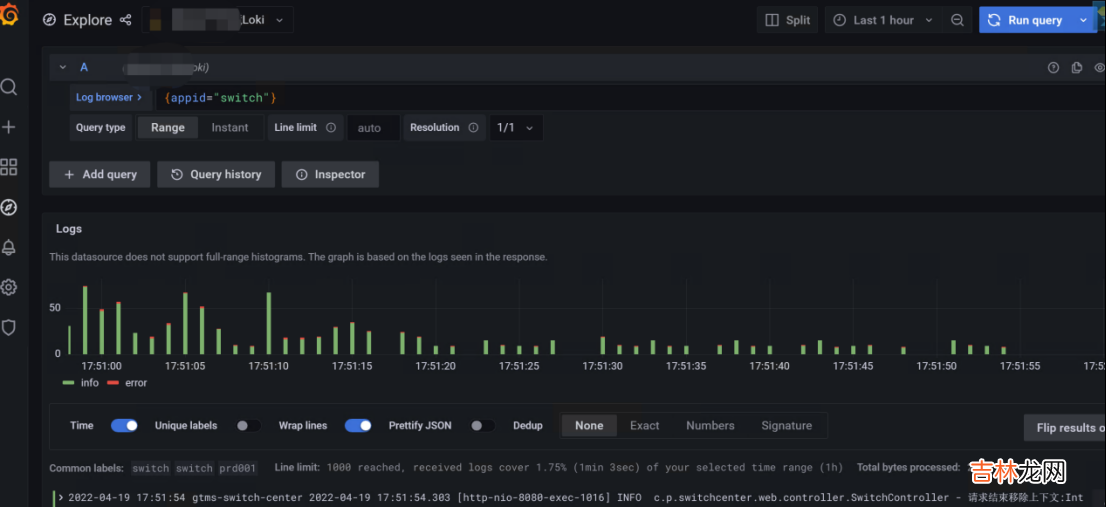
3.4、grafana查看日志用grafana查看日志,可以根据自己的删选条件(关键字、时间等)选择查询响应的日志信息,具体如图
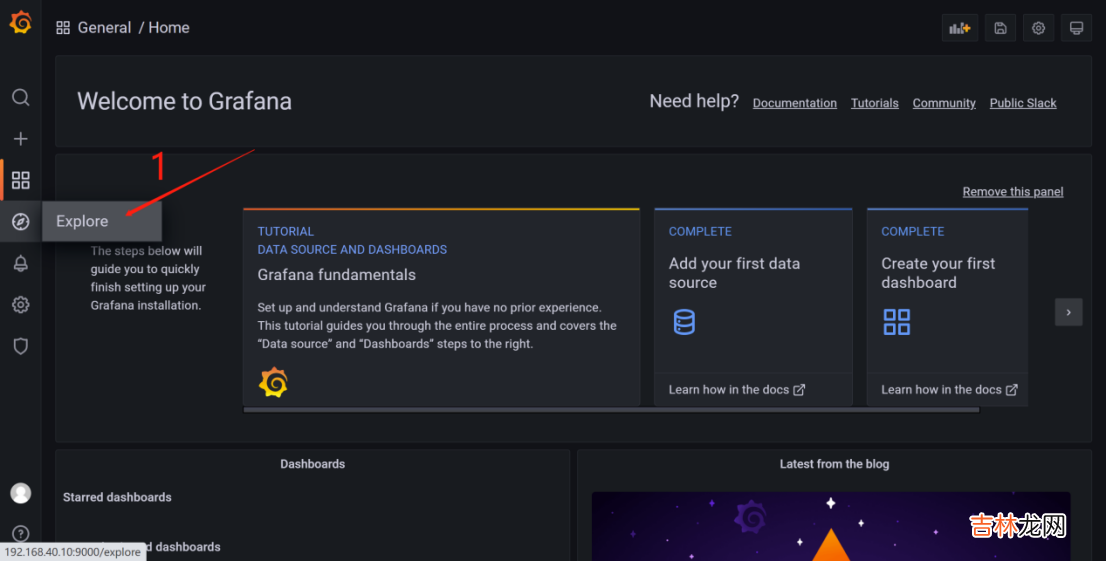
文章插图
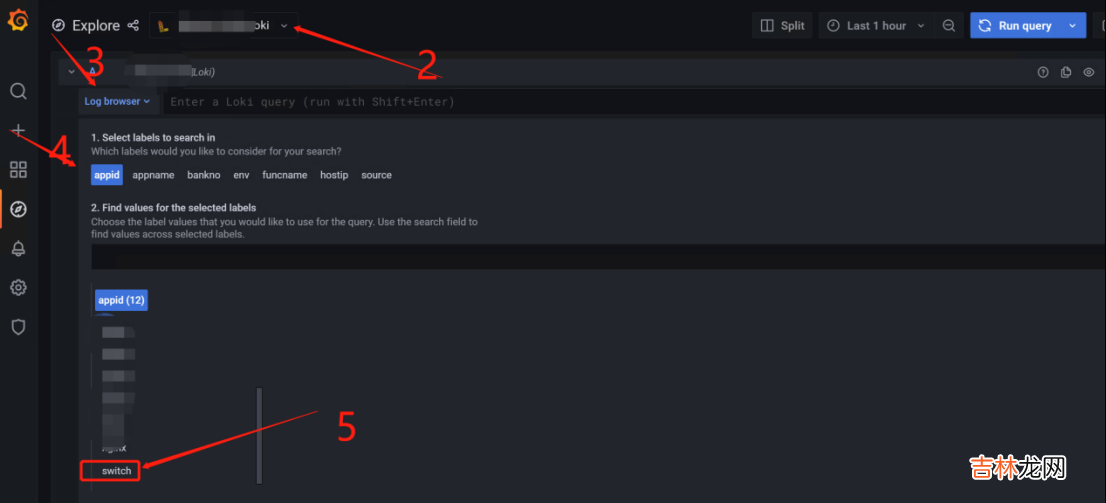
文章插图
经验总结扩展阅读
-
美食轩事|哪种牛奶“补钙”效果更好些?本文一目了然,别蒙在鼓里了
-
-
-
-
-
-
-
2023年1月20日建造轮船好不好 2023年1月20日建造轮船黄道吉日
-
独立|假如上帝免费送你一只猫,这6种猫,你会选谁?
-
-
-
-
-
-
蓝牙耳机配对使用的技巧 airpods一只耳机连接不上
-
-
-
三天后,这几个星座的财运会走高,只念将来,抬头向前看
-
心理汤先生的|男人对你的感情“变淡了”,表现很明显
-